API pricing · Reporting
GPT Image 2.6: Sunburst and Flare have the same rates. Which edit costs less?
OpenAI’s November 4 API release adds complexity controls and new formats. Compare cost per approved asset, not just the token rate.
The rate card doesn't pick a winner
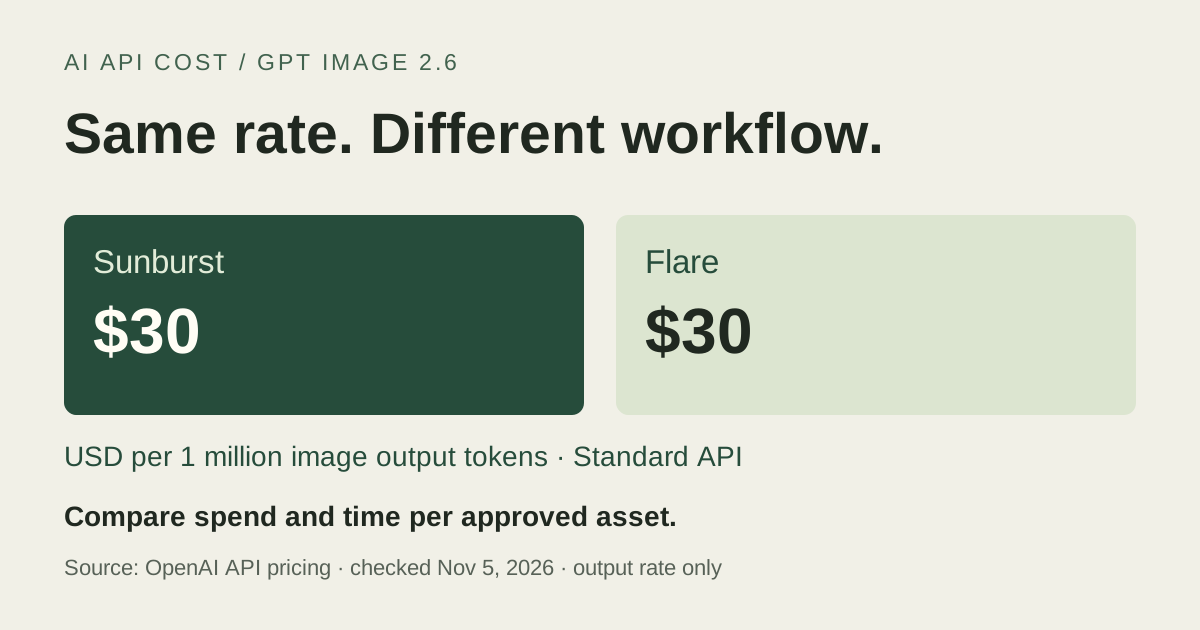
OpenAI released GPT Image 2.6 Sunburst and Flare in the Image API on November 4. Its model pages position Sunburst for detailed work and Flare for fast iteration, but the Standard token rates are identical. For a team editing product images, the useful question is which setup delivers an acceptable file with fewer billable attempts and less waiting. A fast first response is not necessarily a fast approved edit.
The table covers uncached input and image output. It does not quote a flat fee per request. A model can have the same rates and still produce a different bill if token usage or the number of paid retries changes.
Standard API rates are identical for both models
Scroll sideways to read all columns.
| Billed tokens | Sunburst | Flare |
|---|---|---|
| Text input, uncached | $5 | $5 |
| Image input, uncached | $8 | $8 |
| Image output | $30 | $30 |
Keep the asset and acceptance rule fixed
Start with one representative edit, such as changing a product backdrop without touching its label. Give both models the same raster source, prompt, dimensions and rendering quality. The Image API guide documents markup-guided edits for supported models: use an annotation layer to indicate the region, then describe the change in the prompt. A marked region is an instruction, not a reason to skip checking the rest of the image.
Set complexity explicitly when comparing. OpenAI documents low, medium and high, with high as the default for both 2.6 variants. Complexity governs planning rather than rendering quality and has no separate fee. For a focused edit, low is a reasonable starting point; check the label and product edges before deciding to change it. If you test higher complexity, keep the other parameters fixed so you can attribute differences to that change.
Count attempts that didn't make the cut
Before generating, decide what passes: the background changes, the label stays readable and the product outline is intact. Record billed usage and elapsed time for each attempt, including rejected outputs. Divide the batch’s spend by the number of accepted assets. If none pass, report the failed batch and its spend instead of manufacturing a cost per approved image.
For an output-only illustration, suppose each attempt uses 2,000 billable image output tokens. At $30 per million, that is $0.06 in output charges for one attempt and $0.12 for two. Those are hypothetical token counts, not measured results or the complete cost of an edit. Actual input charges still belong in the comparison.
Check the format before choosing an endpoint
SVG and animated GIF are generation outputs, not output formats for the image-edit endpoint. If your deliverable is an editable vector logo or an animation, do not assume the same raster-edit workflow can emit it. The guide also describes SVG billing as image-model charges for the reference image plus authoring-model token charges. Treat that as a separate workflow, with its own acceptance criteria and usage record, rather than applying the raster example above.
Sources & verification
Provider documentation supports the facts referenced below. Our explanations and recommendations are editorial interpretation.
- OpenAI API changelog: November 4, 2026 ↗Checked Nov 5, 2026
- GPT Image 2.6 Sunburst model reference ↗Checked Nov 5, 2026
- GPT Image 2.6 Flare model reference ↗Checked Nov 5, 2026
- OpenAI Image API guide ↗Checked Nov 5, 2026
- OpenAI API pricing: image generation models ↗Checked Nov 5, 2026
Corrections: hello@aiapicost.com