API pricing · Reporting
Kimi K3.1 Pro on Bedrock: choose the route before the tier
Compare the Global and US token rates for Kimi K3.1 Pro Highspeed, then decide whether Flex or Priority fits your deadline. AWS also lists an India profile.
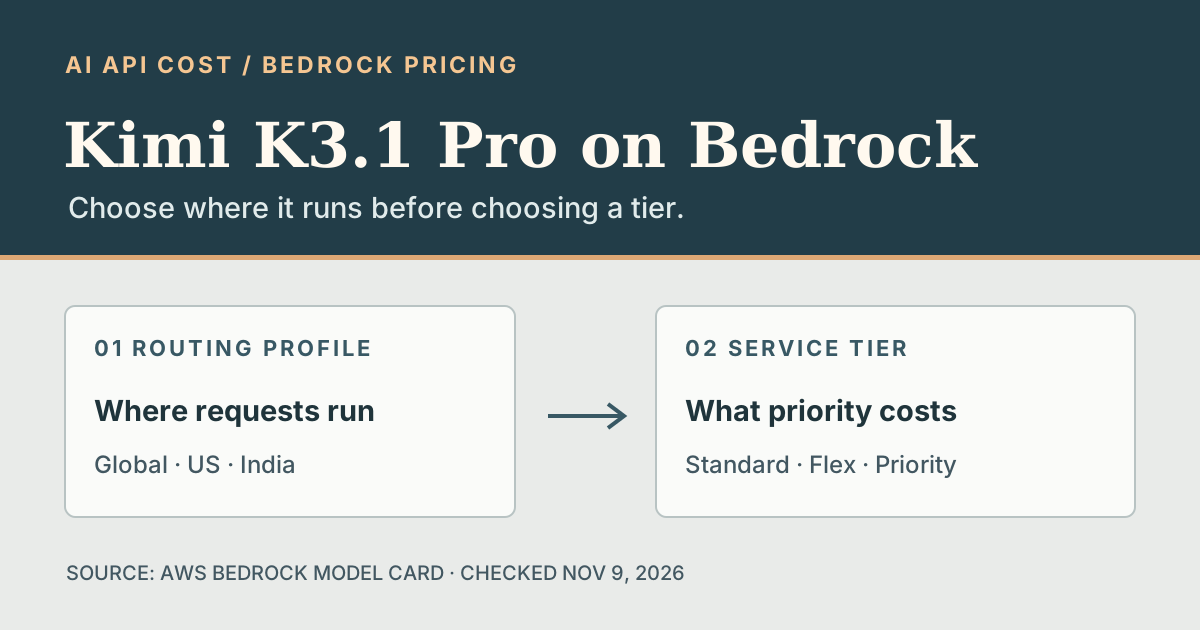
The endpoint and processing geography are not the same
AWS announced Kimi K3.1 Pro Highspeed on Amazon Bedrock on November 6, two days after its model card appeared in the documentation history. If you are pricing a document-processing queue or coding assistant, first decide where those requests are allowed to run. Choosing the cheapest tier will not make an incompatible routing profile acceptable.
AWS lists three cross-Region inference profiles for this variant: Global, US and India. A Global request can run in any supported commercial AWS Region. US and India profiles constrain processing to their respective geographies; check the destination list for the Region from which you send requests. An endpoint in Europe does not make Global inference Europe-only. The model card lists no in-Region option for Highspeed, so a single-Region requirement needs a different eligible setup.
Start the estimate with the right Standard rate
On the Global profile, AWS lists Standard rates of $4 per million uncached input tokens and $20 per million output tokens. The US and India Standard rates are $4.40 and $22 per million, respectively. AWS documents Flex at half the Standard token rate and Priority at 1.75 times Standard for the Global or US base. The table limits tier arithmetic to those two profiles; it does not assume the same multipliers apply to India.
Flex is meant for work that can wait, such as a non-urgent document queue. Priority gives a request precedence over Standard and Flex at a higher price. For the hypothetical Global workload below, choosing Priority instead of Standard adds $4.50 in token charges. Treat that difference as the price of an experiment: measure whether fewer requests miss the deadline before paying the premium across all traffic.
What the same token volume costs on Global and US profiles
Scroll sideways to read all columns.
| Tier | Multiplier | Global (USD) | US (USD) |
|---|---|---|---|
| Standard | 1× | $6.00 | $6.60 |
| Flex | 0.5× | $3.00 | $3.30 |
| Priority | 1.75× | $10.50 | $11.55 |
Change the tier without changing the workload
Run the same prompts and output limits on one approved profile with the same reasoning effort. The model card says unspecified effort defaults to max, so a separate effort change can muddy a tier comparison by changing both token usage and completion time. Keep caching constant too: AWS supports explicit caching for this model on Responses, Chat Completions and InvokeModel, but not Converse.
For an interactive tool, record time to the first visible response and time to completion, not just output tokens per second. For an overnight queue, count the jobs that finish before the cutoff and keep timeout retries in the cost totals. Compare those measurements with the actual served tier, which AWS exposes in service-tier telemetry. Start with Standard as the baseline; try Flex on jobs with slack and reserve Priority tests for traffic where a missed deadline has a real cost.
Sources & verification
Provider documentation supports the facts referenced below. Our explanations and recommendations are editorial interpretation.
- AWS: Kimi K3.1 Pro (Highspeed) now available on Amazon Bedrock ↗Checked Nov 9, 2026
- Amazon Bedrock User Guide: document history ↗Checked Nov 9, 2026
- Amazon Bedrock: Kimi K3.1 Pro Highspeed model card ↗Checked Nov 9, 2026
- Amazon Bedrock: Service tiers for optimizing performance and cost ↗Checked Nov 9, 2026
- Amazon Bedrock: Route model inference requests across AWS Regions ↗Checked Nov 9, 2026
Corrections: hello@aiapicost.com